Get Started with Hasura Cloud and Amazon Athena
Try it out
Step 1: Create an account on Hasura Cloud and create a new Hasura Project
Navigate to cloud.hasura.io, and create a new Hasura Cloud account.
Once you create a project on Hasura Cloud, hit the "Launch Console" button to open the Hasura Console for your project.

Step 2: Add your Amazon Athena database as a source to Hasura
Step 2 Prerequisite: Turn on the experimental features for GDC.
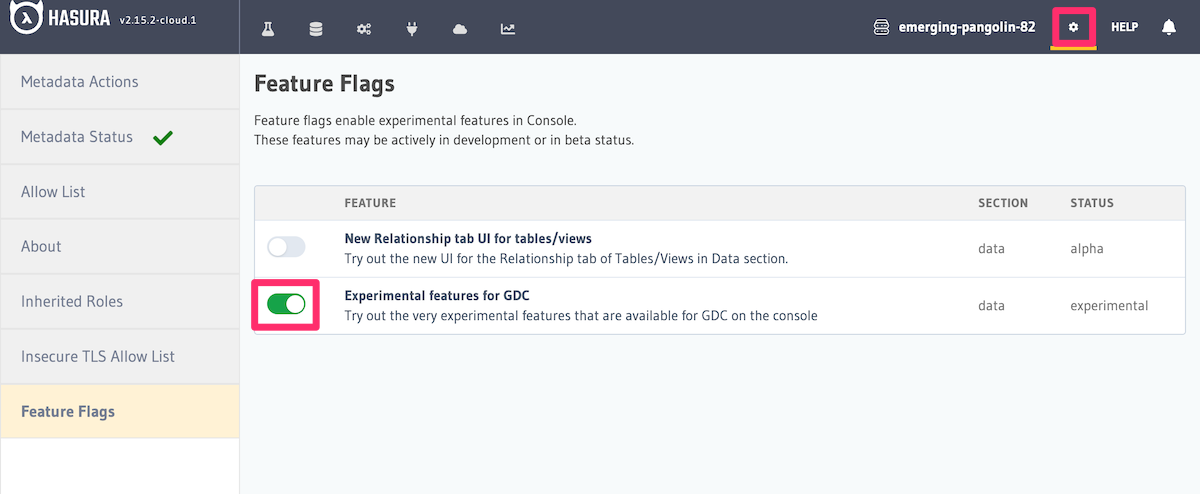
While the Amazon Athena Connector is in beta, the feature can only be enabled by turning on the Experimental features for GDC under the Feature Flags section of the Console configuration page.
Click the gear icon (1) in the top-right corner of your Cloud project; in the side navigation, click "Feature Flags" (2); finally, toggle the "Experimental features for GDC" switch to enable (3).
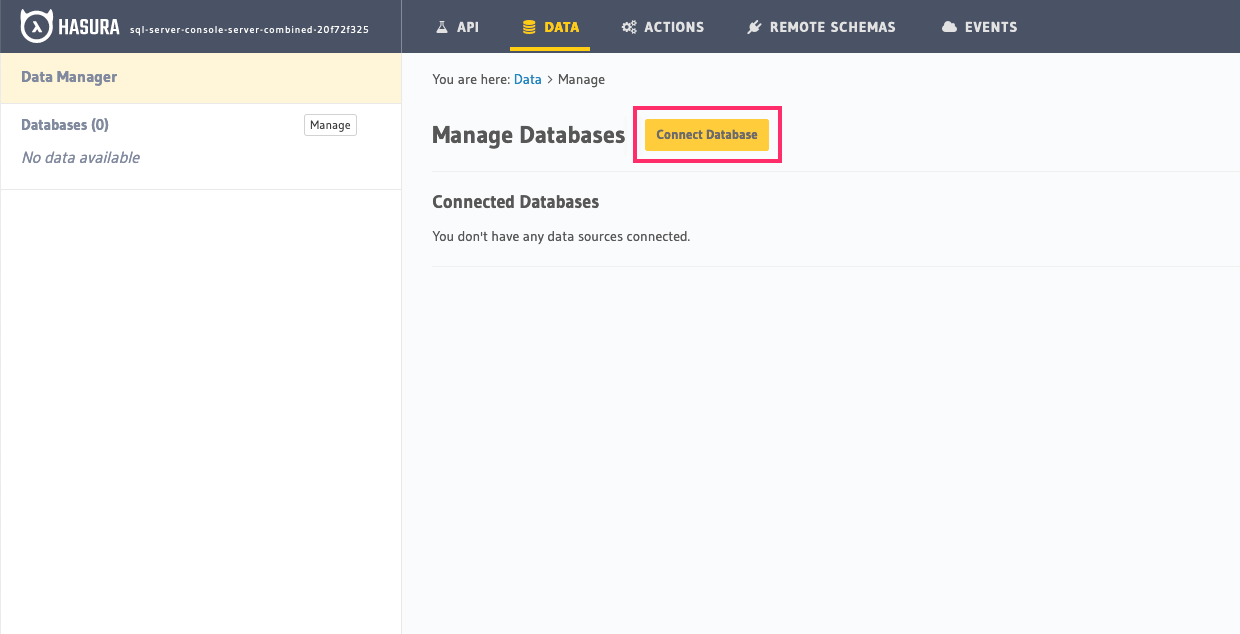
Head to the Data > Manage databases section on the Console to add your Amazon Athena database as a source to Hasura.
- Allow public connections or whitelist the Hasura Cloud IP on your Amazon Athena firewall: This is good for testing and will allow you to quickly try Hasura out with your database!
- VPC peering: VPC peering and private network access is available on Hasura Cloud paid tiers: Recommended for production. Get in touch with us if you'd like to try this out against your existing databases!
Now begin by clicking "Connect Database":
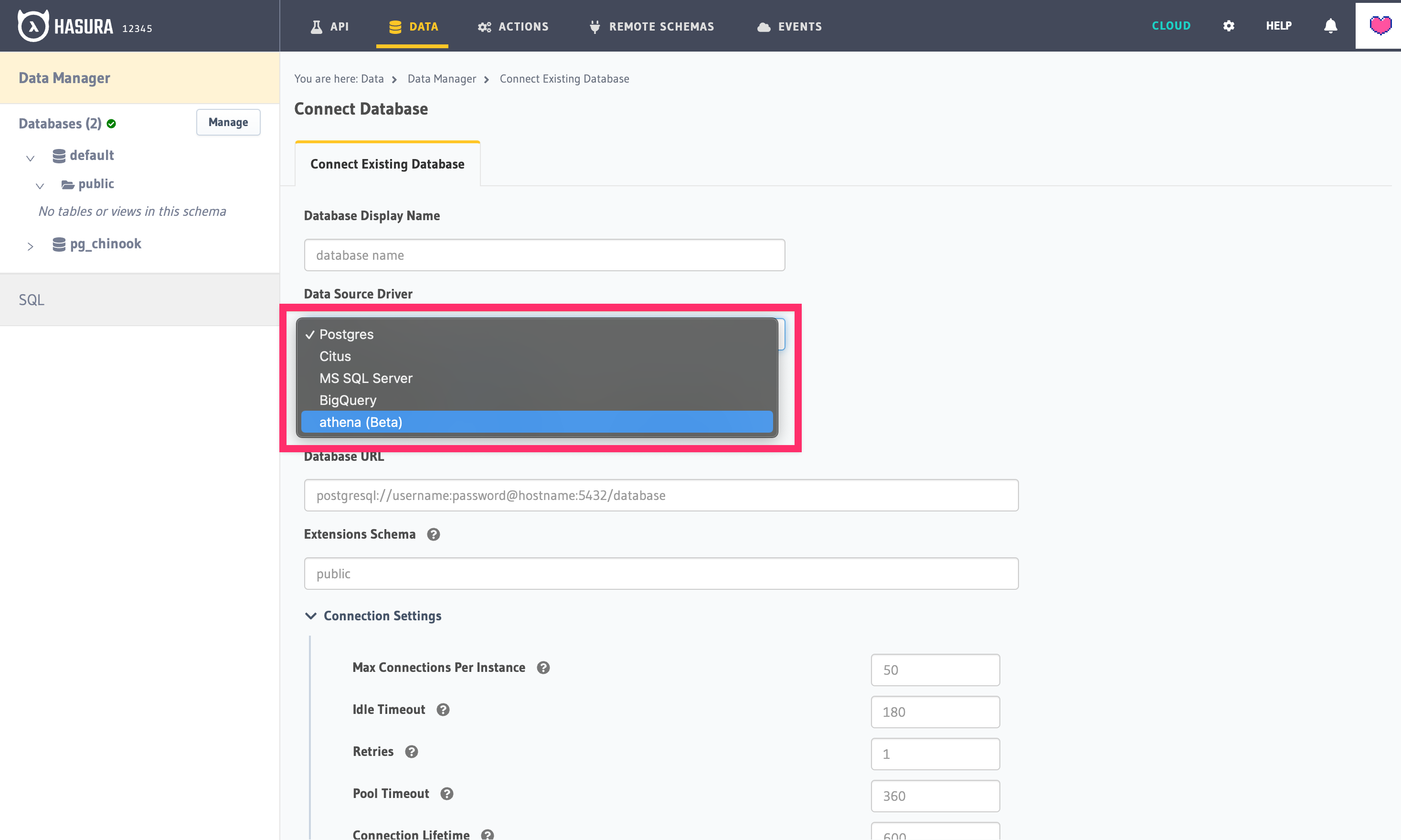
Next, choose the athena (Beta) driver:
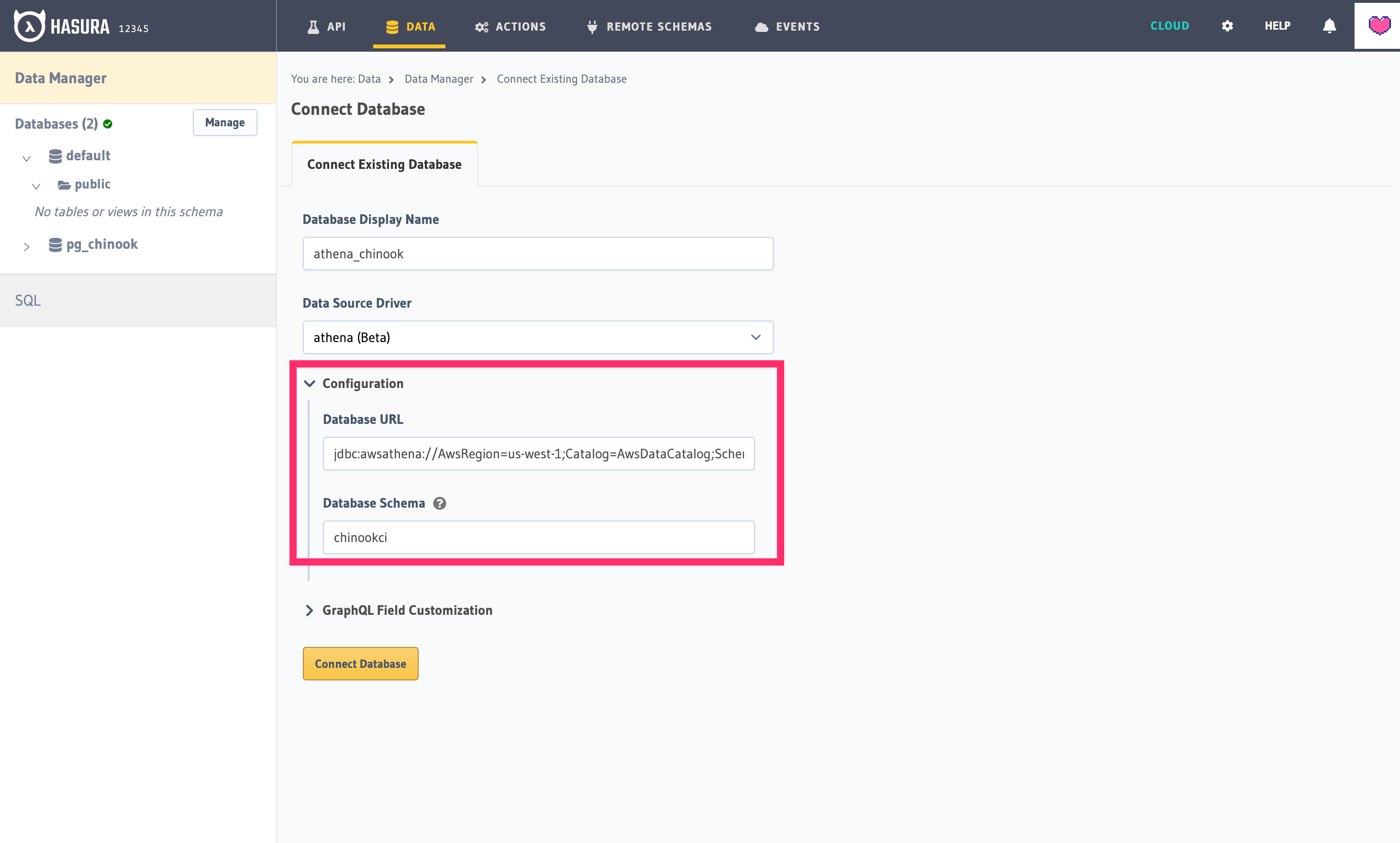
Finally, enter your Amazon Athena database URL and database schema:
Once you add the Amazon Athena service, you'll see it listed as an available database on the sidebar.
Step 3: Track existing tables
To query against your Amazon Athena service using Hasura, you'll need to have existing tables to select. Those tables will appear under the database as shown.
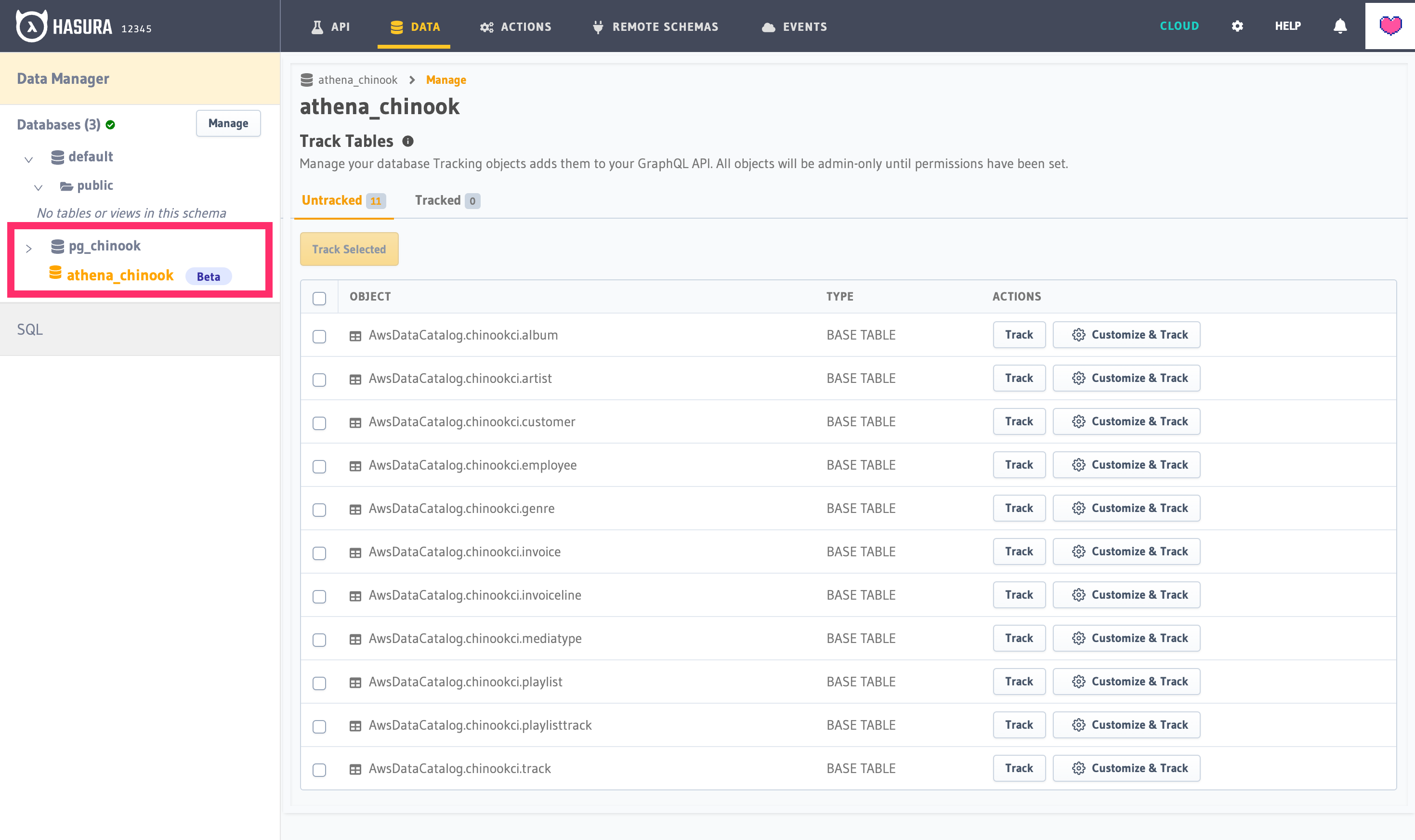
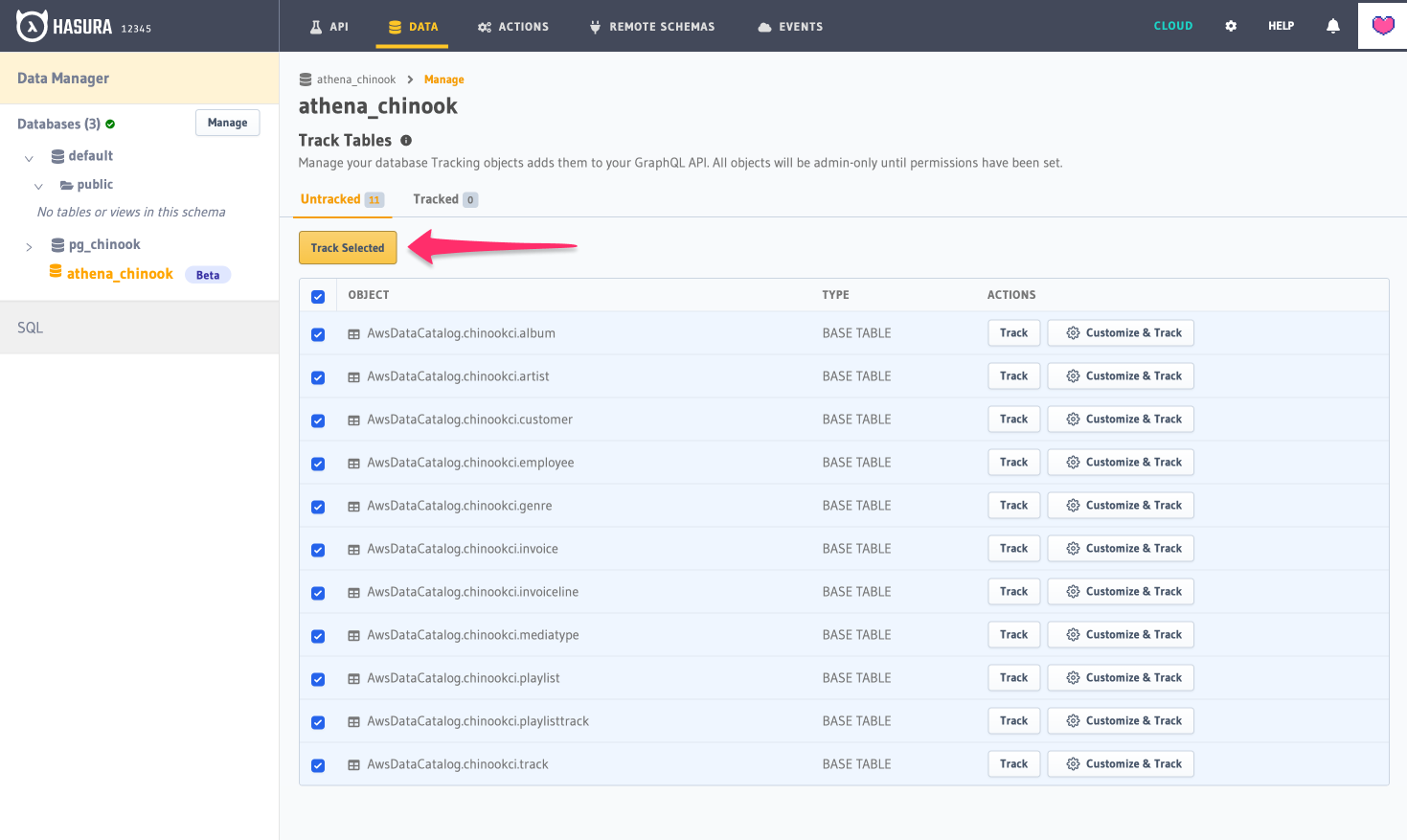
Track tables selectively or all so that Hasura can introspect the tables and create the corresponding GraphQL schema. Once you've selected the tables you'd like to track, click "Track Selected" to finish setup:
Step 4: Try out a GraphQL query
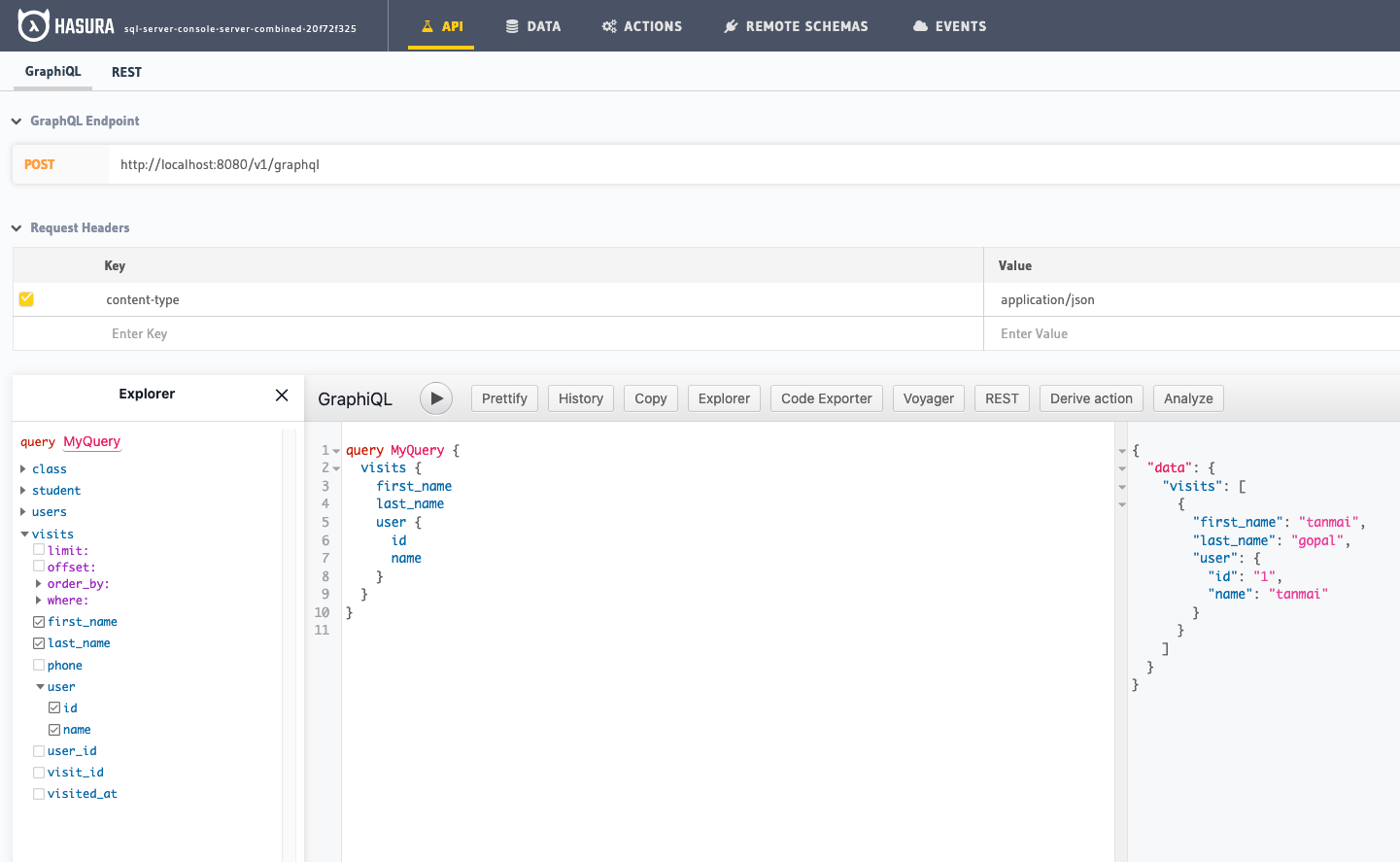
Head to the API tab in the Console and try running a GraphQL query! Use the explorer sidebar on GraphQL to get help in
creating a GraphQL query.
Keep up to date
Currently, Hasura supports read-only queries, subscriptions, relationships, and permissions on Amazon Athena.
If you'd like to stay informed about the status of Amazon Athena support, subscribe to our newsletter and join our discord!